

Tired of fishing for your phone and plugging in a cable every time you get in the car? Many factory CarPlay systems only offer wired connections, which means tangled cords, slower pairing, and a less convenient drive. If you want instant, hands‑free access to maps, music, and messages, a wireless CarPlay adapter can convert your wired system into a wireless one — without replacing your head unit.
This guide tests and compares the best wireless CarPlay adapters available. Below you’ll find short, user‑friendly recommendations, a quick comparison table, and notes on which adapter fits your needs — from smallest dongles to multi‑user, zero‑latency options. Use this to pick the adapter that makes your daily commute smoother.
| Product Image | Product Name | Best For | Check Price |
|---|---|---|---|
 | Jemluse 2024 Multi‑User Wireless CarPlay Adapter | Multi‑User Support | Check Price |
 | TERUNSOUl Stable Plug‑and‑Play Wireless CarPlay Adapter | Stable Connections | Check Price |
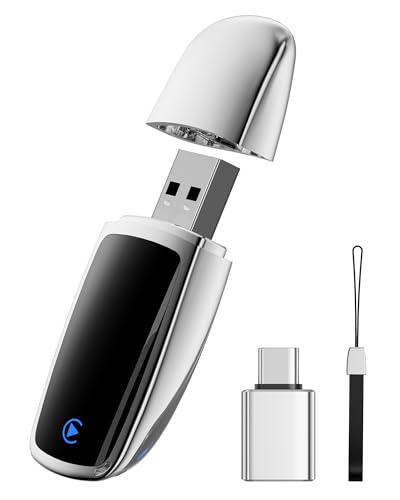 | 2025 Upgrade Silver Wireless CarPlay Adapter | Latest iOS Support | Check Price |
 | 2‑in‑1 Wireless CarPlay & Android Auto Adapter | CarPlay & Android Auto | Check Price |
 | Cleviton Mini No‑Latency Wireless CarPlay Dongle | Smallest Footprint | Check Price |
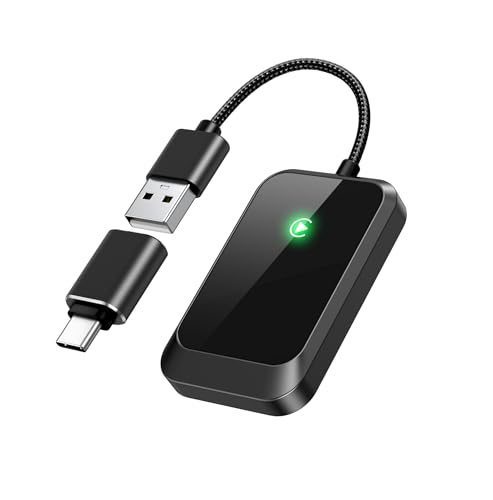 | Zero‑Latency USB‑A and USB‑C CarPlay Adapter | Lag‑Free Performance | Check Price |
 | JDG Super Mini Wireless CarPlay Adapter | Budget Compact Pick | Check Price |
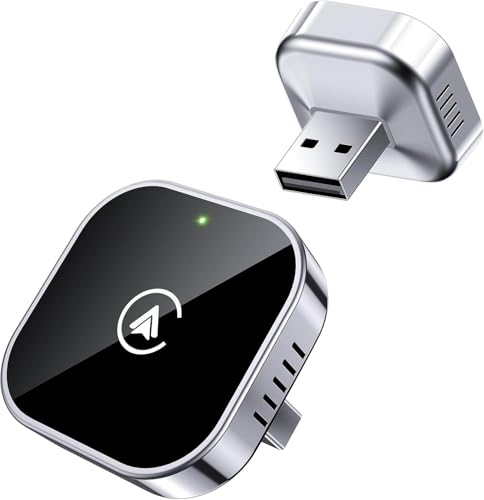 | Teeran Compact 2‑in‑1 CarPlay & Android Auto Adapter | Wide Car Compatibility | Check Price |
Jemluse 2024 Multi‑User Wireless CarPlay Adapter
Perfect for drivers who share a car and want seamless, hands‑free CarPlay access from multiple phones.
The Jemluse adapter’s standout feature is true multi‑user pairing with fast auto‑switching. It holds a stable, low‑latency Wi‑Fi link so navigation, calls, and music play smoothly. For example, two family members can hop in at different times and have their phones connect instantly without fiddling with cables.
It’s compact and plugs into your car’s USB port for simple plug‑and‑play use. The adapter supports firmware updates to broaden compatibility and fix issues over time. With a sturdy build and reliable day‑to‑day performance, it’s a smart pick for households, rideshare drivers, or small fleets that need easy wireless CarPlay.
Pros:
- True multi‑user auto‑switching for seamless sharing.
- Stable, low‑latency audio and call quality.
- Simple plug‑and‑play setup with firmware update support.
- Compact, unobtrusive design that fits behind trim.
Cons:
- Uses a USB port, which may block charging or ports in some cars.
- Some older head units can be finicky and may need occasional re‑pairing.
- Initial setup steps can be a bit confusing for non‑technical users.
TERUNSOUl Stable Plug‑and‑Play Wireless CarPlay Adapter
Perfect for drivers who want an easy and reliable way to add wireless CarPlay to a car that only has a wired connection.
The TERUNSOUl adapter is a true plug‑and‑play USB dongle that prioritizes stability and low latency. Plug it into your car’s USB port once and your iPhone connects automatically on subsequent trips. In practice that means navigation instructions and voice calls start instantly and music streams without the dropouts you sometimes get with cheaper dongles.
It’s also built to stay out of the way: compact, well‑vented, and sturdy enough for long drives. The discreet design fits behind the dash and won’t rattle. For anyone who values reliability and simplicity over fiddly setup menus, this adapter is a strong, practical choice.
Pros:
- Consistently stable wireless CarPlay connection with low latency
- True plug‑and‑play setup—automatic reconnection after first pair
- Compact, durable design that tucks away behind the dash
- Great for navigation, calls, and uninterrupted music streaming
Cons:
- May occupy a valuable USB port or block nearby connectors
- Occasional re‑pairing reported with a few phone/head‑unit combinations
2025 Upgrade Silver Wireless CarPlay Adapter
Perfect for iPhone drivers who want a simple, fast way to switch from a wired CarPlay setup to a wireless one without changing their car stereo.
The adapter excels at quick pairing and stable streaming. Plug it into your car’s USB and CarPlay connects automatically within seconds. That means you can start navigation and have maps and voice directions ready instantly, and music plays with very little lag—useful for hands-free calls and podcasts on the go.
Build quality and design stand out next: the silver metal housing is compact and durable, so it won’t block other ports or feel flimsy. Firmware updates and automatic reconnection make it future-proof. Overall, it’s an easy, reliable upgrade for anyone tired of plugging in their phone.
Pros:
- Fast, reliable wireless connection with low latency
- Automatic reconnection for true plug-and-play convenience
- Compact, durable silver metal design that won’t obstruct ports
- Supports firmware updates to stay compatible
Cons:
- Higher cost than basic adapters, though features justify it
- Occasional hiccups on very old head units may require a reset
2‑in‑1 Wireless CarPlay & Android Auto Adapter
Perfect for drivers who want a simple way to add wireless CarPlay and Android Auto to a car stereo that only supports wired connections.
This adapter’s main strengths are true 2‑in‑1 support and easy setup. It switches between Wireless CarPlay and Android Auto automatically and keeps a low-latency connection for navigation and voice calls. For example, you plug it into the USB port, start the car, and your phone reconnects without fumbling with cables—so maps and music start right away.
Build and compatibility are solid. The dongle is compact, unobtrusive, and gets firmware updates via a companion app to broaden OEM head unit support. That makes it a practical, future‑proof upgrade if you plan to keep your car for years. Overall, it’s a convenient, no-fuss way to modernize your in-car experience.
Pros:
- Reliable automatic switching between CarPlay and Android Auto
- Fast, low-latency connections for navigation and media
- Compact design that preserves cabin space
- Firmware updates increase long-term compatibility
Cons:
- Requires a free USB port and occasional app updates
- Some older head units may need manual tweaks for full functionality
Cleviton Mini No‑Latency Wireless CarPlay Dongle
Perfect for drivers who want a simple, responsive way to add wireless CarPlay to a compatible car without replacing the head unit.
The Cleviton Mini emphasizes true low-latency audio and screen mirroring and a plug-and-play USB connection, so interactions feel immediate. In practice that means navigation voice directions and music playback stay in sync with no noticeable lag — for example, switching between Apple Maps and a podcast happens instantly without audio stutter.
It’s tiny, well-built, and unobtrusive, so it won’t clutter your dash or block other ports. The dongle also supports automatic reconnect and firmware updates, making it a maintenance-light solution. Overall, it’s a strong choice if you want a fuss-free, fast wireless CarPlay upgrade that simply works.
Pros:
- Very low latency for smooth navigation and media playback
- True plug-and-play setup requires no technical skills
- Compact, durable design that stays out of the way
- Reliable reconnection and firmware update support
Cons:
- Requires a car with wired CarPlay USB port to work
- May need occasional firmware updates to maintain compatibility
Zero‑Latency USB‑A and USB‑C CarPlay Adapter
Perfect for drivers who want instant, responsive wireless CarPlay with support for both USB‑A and USB‑C phones.
The standout feature is the near zero‑latency connection that makes navigation, music, and voice calls feel as fast as a wired setup. It also supports both USB‑A and USB‑C cables, so you can plug in older phones or the newest models without adapters. For example, starting a route in Apple Maps takes no noticeable time and audio stays perfectly in sync with video or prompts.
It’s a small, plug‑and‑play unit that fits discreetly behind the dash and feels solidly built. Firmware update support and broad head‑unit compatibility mean fewer surprises when you swap cars. Overall, it’s a strong choice if you want reliable, fast wireless CarPlay without fiddly setup or visible dongles.
Pros:
- Truly low latency for seamless navigation and media playback
- Works with both USB‑A and USB‑C phones out of the box
- Quick auto‑connect and simple plug‑and‑play setup
- Compact, discreet design with wide head‑unit compatibility
Cons:
- Needs a powered USB port in the car to run
- Occasional firmware updates may be required for some head units
JDG Super Mini Wireless CarPlay Adapter
Perfect for drivers who want an easy, compact upgrade that adds wireless CarPlay to an older car or a head unit without built-in wireless support.
The standout features are its ultra-compact plug-and-play design and reliable low-latency connection. You plug the tiny adapter into your car’s USB port, pair once, and it reconnects automatically—so starting a drive means Apple Maps and music appear without fumbling for a cable. In practice this means clearer calls and smoother audio streaming during navigation, with minimal lag when using Siri.
Build and styling are discreet so the adapter hides behind the dash and won’t get in the way. It feels solid and gets consistent connections across daily use. For anyone who wants a no-fuss way to modernize their car’s infotainment, this adapter is a strong, affordable choice that simply works.
Pros:
- Very small footprint — tucks away neatly behind the dash
- Fast pairing and automatic reconnection for hassle-free use
- Low-latency audio and responsive Siri integration
- Simple setup — minimal tech skills required
Cons:
- Performance can depend on the car’s USB power/output
- Some head units may need occasional re-pairing or tweaks
- May not support every proprietary infotainment quirk across all vehicles
Teeran Compact 2‑in‑1 CarPlay & Android Auto Adapter
Ideal for drivers who want an easy, compact, and affordable way to add wireless CarPlay and Android Auto to an older car.
The adapter’s main strength is true 2‑in‑1 support for both Apple CarPlay and Android Auto, plus simple plug‑and‑play setup via your car’s USB port. In practice this means you plug it in once, pair your phone, and your maps, music, and calls stream wirelessly with low latency — for example, launching navigation without fumbling for a cable.
Its small, unobtrusive design keeps the dash tidy and stays out of the way of other ports. The unit also receives firmware updates to improve compatibility, so it keeps working as phones and head units evolve. For a straightforward wireless upgrade without swapping your stereo, it’s a strong, budget‑friendly choice.
Pros:
- Works with both CarPlay and Android Auto for wide phone support
- Compact footprint that doesn’t clutter the dash
- Easy plug‑and‑play setup with automatic reconnection
- Stable audio and navigation performance with low latency
- Receives firmware updates to improve compatibility
Cons:
- Occasional firmware updates may be needed for new phones
- Some head units can have compatibility quirks
- Requires a powered USB port in the car to work reliably
Buyer’s Guide: Key Factors to Consider
Compatibility and firmware support
Confirm your car or head unit supports wired CarPlay first—wireless adapters only convert an existing wired connection. Check the adapter’s compatibility list, iOS version requirements, and whether the manufacturer provides regular firmware updates for new iOS releases.
Connection reliability: dual-band & latency
Look for dual-band (2.4/5 GHz) or Wi‑Fi 6 support for lower interference and smoother audio/navigation. Prioritize adapters with proven low latency in reviews—stable video and voice prompts matter for safe driving.
Power, ports and ease of setup
Choose a unit with USB-C (or a reliable USB-A+cable solution) and, if you need it, a passthrough charging option. Prefer plug‑and‑play models with clear setup instructions and active customer support if you value quick, headache‑free installs.
Frequently Asked Questions
Q1: Will this work with my existing car stereo?
A1: If your car or stereo supports wired Apple CarPlay via USB, a wireless adapter will usually work. Check the adapter’s compatibility list and your stereo’s firmware; some aftermarket head units require specific adapters or firmware updates.
Q2: Will a wireless CarPlay adapter drain my phone battery?
A2: It uses Wi‑Fi and Bluetooth, which can increase battery use, but most phones handle it fine. For long trips, use an adapter with passthrough charging or keep a USB charger available.
Q3: What’s the advantage of dual‑band (2.4/5 GHz) adapters?
A3: 5 GHz offers higher throughput and less interference, improving audio, maps, and responsiveness. Dual‑band adapters can fall back to 2.4 GHz if needed, giving better overall reliability.
Q4: Are wireless CarPlay adapters secure and private?
A4: Reputable adapters use standard Wi‑Fi security and only bridge your iPhone to the car. Keep firmware updated, buy from trusted brands, and avoid adapters from unknown sellers to minimize risks.
Q5: Can I use the same adapter for Android Auto?
A5: Some adapters support both wireless CarPlay and wireless Android Auto, but many are CarPlay-only. Verify product specs if you need cross-platform support.
Q6: My connection keeps dropping—how do I troubleshoot?
A6: Update adapter firmware and iOS, try a different USB port or cable, switch to 5 GHz if available, disable phone power‑saving features, and re-pair the adapter. If problems persist, contact the manufacturer for diagnostics.
Final Verdict: Which One Should You Buy?
For 2025 buyers, the Carlinkit 4.0 Pro (dual‑band, USB‑C, reliable firmware updates) is the best overall pick—great for drivers who want low latency and futureproof connectivity. If you want a simpler, budget option, CPLAY2air remains a solid choice for basic wireless CarPlay in vehicles that don’t need advanced features.







